
 0 items –
 Commercial Catering Equipment and Supplies at Display-Fridge Wholesale Ltd
Free Commercial Fridge Cleaning Schedule
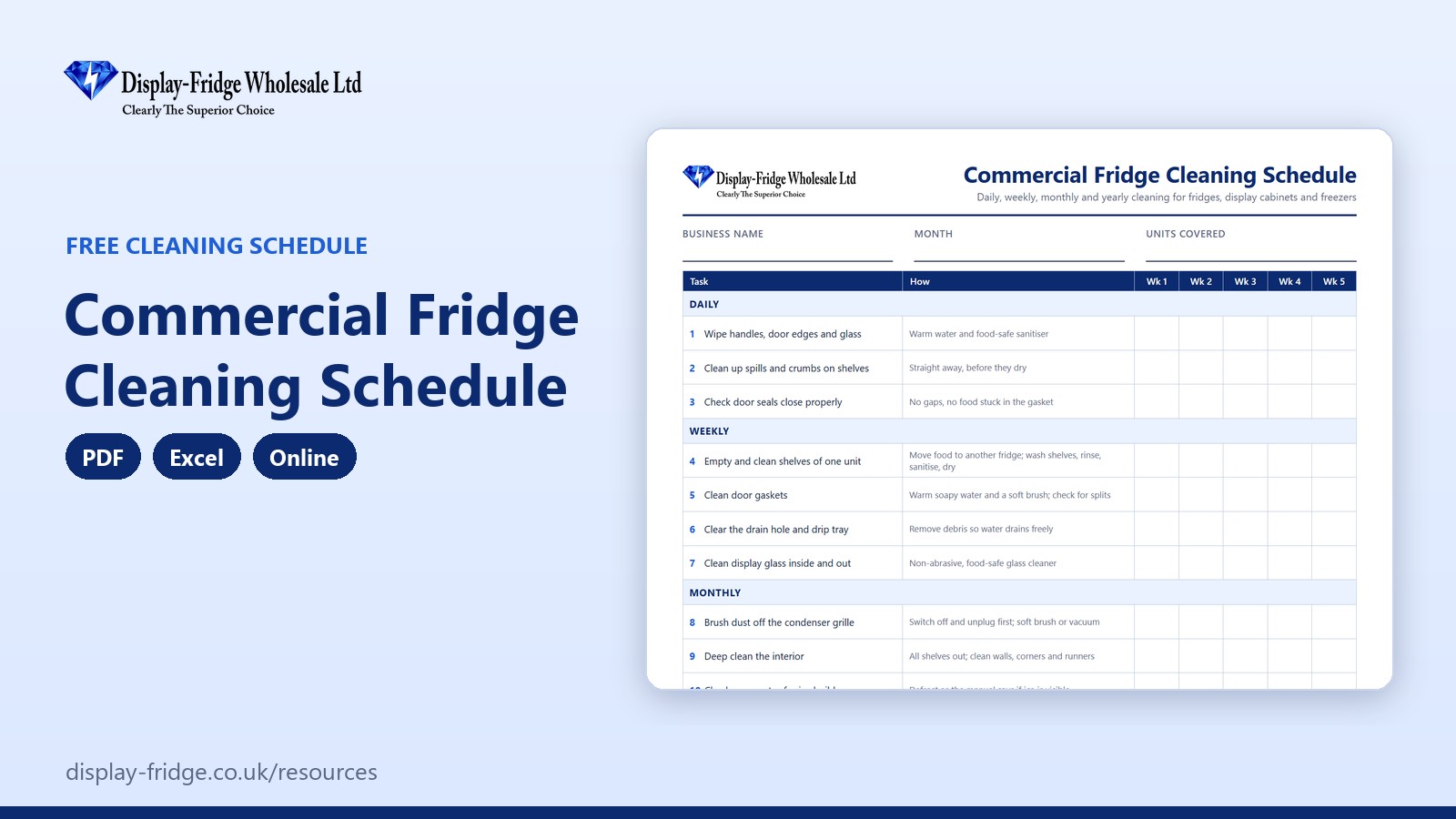
A free commercial fridge cleaning schedule with daily, weekly, monthly and yearly tasks for fridges, display cabinets and freezers. The online version works out when each task is next due.
Use the cleaning schedule online
Online Commercial Fridge Cleaning Schedule
Tap a task when it is done: the date is filled in and the next due date is worked out. Overdue tasks turn red.
General guidance only; always follow the manufacturer's instructions. Entries are stored only in this browser on this device, so print them for your records.
Free tool by Display-Fridge Wholesale
Frequently asked questions
What is a commercial fridge cleaning schedule?
A list of every cleaning task for your fridges, display cabinets and freezers, with how often each one should be done, space to record when it was done and who did it.
What is the fridge cleaning schedule for?
It makes sure cleaning happens at the right intervals, keeps food safe and equipment efficient, and gives you a record for inspections.
Who should use the fridge cleaning schedule?
Kitchen and counter staff for the daily and weekly tasks, managers for the monthly checks and the yearly service booking.
How often should a commercial fridge be cleaned?
Wipe handles, glass and spills daily; clean shelves and door gaskets weekly; deep clean and dust the condenser monthly; have a professional service every year.
How do I clean a commercial fridge condenser?
Switch off and unplug the unit, then brush or vacuum the dust from the condenser grille and coil. Follow the manufacturer’s manual, and call an engineer if you cannot reach it safely.
Where should the cleaning schedule be kept?
Next to the fridges or in the kitchen, or on a tablet using the online or Excel version.
When should the cleaning schedule be updated?
Each time a task is done. In the online version, tapping a task fills in today’s date and works out the next due date.
What cleaning products are safe for fridges?
Warm soapy water for gaskets and shelves, then a food-safe sanitiser, used for the contact time on its label. Avoid abrasive cleaners on glass and plastic.
How does a cleaning schedule help my business?
Cleaner fridges hold temperature better, use less energy, break down less often and help you score well in food hygiene inspections.
Is the online cleaning schedule saved?
Yes, in the browser on your device only. Nothing is sent to us. Print it each month for your records.
Your business with our cleaning schedule, and without
| Using our cleaning schedule | Without it | |
|---|---|---|
| Daily cleaning | Done and initialled every day | Done when someone remembers |
| Condenser and seals | Cleaned monthly and weekly, so units run efficiently | Dust and torn seals raise running costs |
| Overdue jobs | Shown in red with the date they were due | Discovered when something goes wrong |
| Inspections | A dated record of every task | No proof that cleaning is planned |
| Breakdowns | Fewer, because problems are spotted during cleaning | Small faults left until the unit fails |
| Format | PDF, Excel and online, free | A cleaning rota that misses the fridges |
Why a written cleaning schedule matters
A clean fridge is safer, cheaper to run and lasts longer. Spills and crumbs feed bacteria and mould. Dirty door seals stop doors closing properly. Dust on the condenser makes the compressor work harder, which raises electricity bills and shortens its life. A written schedule makes sure every job is done at the right interval, by someone, and that you can prove it.
What inspectors look for
During a food hygiene inspection, the officer looks at the condition of your equipment and how you manage cleaning. A schedule with dates and initials shows that cleaning is planned, not left to chance.
The jobs that save money
Two jobs pay for themselves. Brushing dust off the condenser grille every month keeps the unit running efficiently, and cleaning and checking door gaskets stops warm air leaking in all day. Our guide to cleaning door gaskets shows how, and worn gaskets can be replaced from our spare parts range.
Cleaning safely
- Switch off and unplug before cleaning the condenser or any electrical part.
- Use food-safe sanitisers and follow the contact time on the label.
- Move food to another fridge while you deep clean.
- Never use sharp tools to remove ice: you can puncture the evaporator.
- Let shelves dry completely before putting food back.
How to use the cleaning schedule, step by step
See what is due
The counters show the share of tasks done in this round and how many are overdue.

Score, tasks done and overdue tasks Tap a task when it is done
Tap the status button to mark a task Done: today’s date fills in and the next due date is worked out from how often the task is needed. Overdue tasks turn red; tasks due soon turn amber.
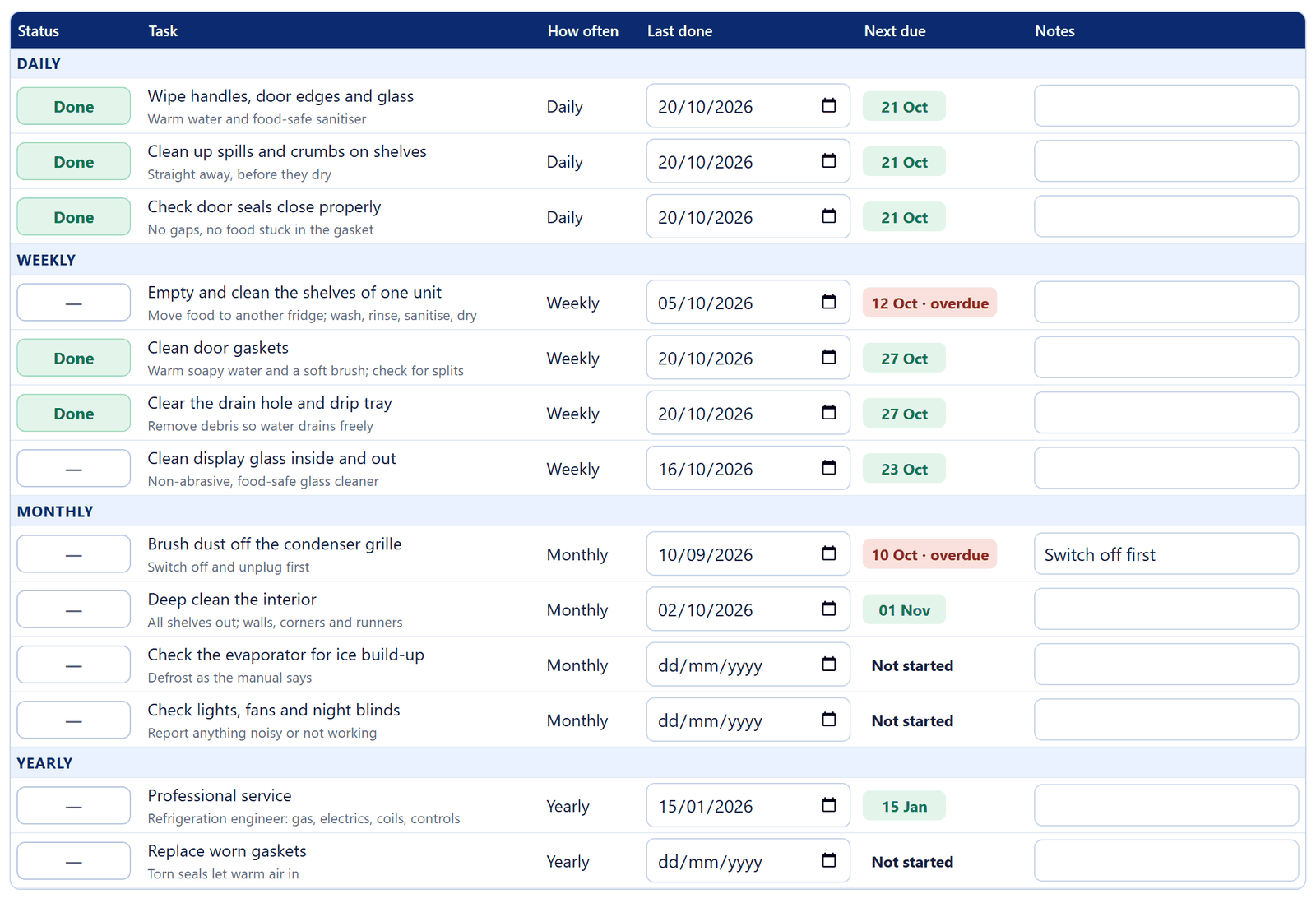
Daily, weekly, monthly and yearly tasks with their next due dates Record past jobs
If a task was done earlier, type the date in ‘Last done’. Use the notes column for anything you found, such as a split seal or a noisy fan.
Print each month
Print the schedule or save it as a PDF and keep it with your food safety records. Prefer paper? Print the PDF schedule and initial each week.

Print and clear buttons
Signs a fridge needs more than cleaning
- Temperatures creeping up on the log even after cleaning.
- Ice building up quickly on the evaporator.
- Water pooling inside or under the unit.
- Fans that rattle or stop.
- The compressor running all the time. See our article on signs a commercial fridge is dying.
Related free resources
- Refrigeration Equipment Register & Service Log: record professional services and repairs.
- Refrigeration Energy-Saving Checklist: the energy-saving habits that go with cleaning.
- Fridge Breakdown Emergency Plan: what to do if a unit fails.
- All free resources.
General guidance only. Always follow the manufacturer’s instructions for your equipment.